Malleable, all the way down.
Extend Thymer with plugins: your team's own workflow for work or a robot cursor for fun. Pick from the many the community made, or ask an agent to build yours.
Extend Thymer with plugins: your team's own workflow for work or a robot cursor for fun. Pick from the many the community made, or ask an agent to build yours.
Plugins are a great way to keep software simple while adapting to your needs. That has always been the promise of personal computing, and with agents, you no longer need to be a developer to make your own.
We aim for a practical balance: Thymer has the essentials built in, like editing, outlining, tasks, collections with board and calendar views, so you can get started without having to set up a bunch of plugins right away. As your workflow grows, plugins let you extend, personalize and customize, without bloating the app with every possible feature you'll never need all at once.
Thymer users are making plugins and themes for their own workflows and sharing them with the community. We don't have an official plugin directory yet, but you'll already find plenty on the Thymer Community Discord and resources like Ed Nico's curated list on GitHub.
Rows of a CSV file as pages in any collection.
@tobiFind and replace on the page, with VS Code's ⌘D.
@akareadyA focus timer, 25 minutes at a time.
@gitdaveukCharts from your collections, in a view or inside a page.
@BraffolkKey properties next to a page's name, wherever it shows.
@parham-shaftiBookmark the page you're on; AI fills in the details.
@jkroesA small count next to every link to a page.
@harpreetchimaNotes like this one, by wording, shared links and tags.
@ed-nicoLatte, Frappé and Macchiato, light and dark.
@phildrysdale1A calendar in the sidebar.
@gitdaveukYour Journal from this day in earlier years.
@ed-nicoOne font for the interface, another for your notes.
@phildrysdale1Capture a note from anywhere.
@gitdaveukA browser extension that clips web pages into a collection.
@zakblfFrom Atom, dark only.
@phildrysdale1A copy button on code blocks and inline code.
@adrian18hdA table of contents for every page, four ways.
@jkroesA collection's sub-pages as a tree you can fold.
@jkroesA theme, light and dark.
@phildrysdale1Choose what the sidebar shows and how it behaves.
@akareadyAn infinite canvas: post-its, shapes, mind maps and your own pages as cards.
@parham-shaftiA theme, light and dark.
@phildrysdale1Weekly, monthly, quarterly and yearly notes next to your daily ones.
@harpreetchimaThe weather and the moon phase on every Journal day.
@dantesxjGitHub's colours, light and dark.
@phildrysdale1Numbers on everything in your workspace.
@RobbK17Page titles made from their property values.
@akareadyMake many pages sub-pages of one parent.
@RobbK17Outside data synced in, chats with AI agents, habits.
@riclibA theme in warm browns, light and dark.
@gitdaveukEverything that mentions this note, always in view.
@harpreetchimaShow or hide each item in the status bar.
@akareadyA PIN, and a lock when you step away.
@dantesxjThis week's Journal pages, side by side.
@ed-nicoYour Hardcover books as a collection.
@phildrysdale1Paper and soot, light only.
@niklashogTasks from the whole workspace, planned into your day.
@niklashogBulk changes to notes and tags, in one panel.
@RobbK17Even line spacing, indent modes and aligned indent guides.
@akareadyNew pages take values from the page you made them in.
@parham-shaftiA theme, light and dark.
@phildrysdale1A graph of how your notes, links and tags connect.
@ed-nicoYour Zotero library as References, People and Organizations.
@jkroesBooks, films and series, with their details filled in.
@afrovikingGive a page an alias, and every link to it shows the alias.
@jkroesSearch across collections, find duplicates, compare notes.
@RobbK17After Hokusai's wave, light and dark.
@hildxdA colour for every level of indent.
@ahpatelDrag the values of a property into the order you want.
@parham-shaftiDividers in your collections list, in your theme's colours.
@akareadyPin any note to the sidebar.
@gitdaveukThe darkest Catppuccin.
@niklashogPages dated today, at the foot of the Journal.
@dantesxjTwo Page Link properties kept in sync, both ways.
@parham-shaftiA new page from whatever is on your clipboard, text or images.
@RobbK17AI banners for any page or collection, in 72 styles.
@akareadyA word count for the page you're on.
@gitdaveukFor late nights, light and dark.
@phildrysdale1Pipe-separated text shown as a table you can edit.
@phildrysdale1Highlight a PDF and the passage lands in your note.
@parham-shaftiThe pages you changed last, one click away.
@phildrysdale1Bring your notes over from CSV, Obsidian, Logseq and Joplin.
@phildrysdale1Your Readwise highlights, and a few of them on each Journal day.
@dantesxjTufte-style sidenotes in the margin of the page.
@jkroesA theme, light and dark.
@phildrysdale1Time-stamped notes while you watch a video.
@parham-shaftiPhotos from your collections, matched to the day.
@dantesxjA colour for each collection, in the sidebar and beyond.
@akareadyArctic and bluish, light and dark.
@phildrysdale1Keys for the previous and the next day in the Journal.
@akareadyYour own cursor: shape, colour, motion, sparks, a torch.
@akareadyInstall, update and export plugins from one place.
@ahpatelTyped pages with coloured badges and fields of their own.
@RobbK17A button back to the top of long pages.
@parham-shaftiA theme in soft greens, light and dark.
@phildrysdale1Links show the icon of the page they point to.
@akareadySpaced repetition (FSRS), inside your notes.
@talalEdit CSS and watch it apply as you type.
@asbedbAny note to PDF.
@gitdaveukThe classic, light and dark.
@phildrysdale1Jump to, move to or send anything to any Journal day.
@akareadyLink any line, and change what a link shows.
@parham-shaftiMove many notes to another collection at once.
@RobbK17Copy a plugin's GitHub link and paste it into Plugins → Install from URL. It's installed once for the whole workspace, on every device, and updated only when you say so. Themes install the same way, under Settings → Theme. Or just copy-paste snippets yourself.
Community plugins come from their authors, not from us. They run with full access to your workspace, so read before you install.
Add a few lines of code directly in the app, ask an agent to build what you need, or build a full project with the SDK. It's real JavaScript under the hood, so you can build almost anything.
Describe what you want, right where you are. Ask AI writes it as a plugin, and it is live in your workspace. Your own key: Anthropic, any OpenAI-compatible API, or a local model.
You can make small customizations directly in Thymer, like adding a formula to a collection. Say you keep invoices and want a Total on each one, from its Hours and Rate. In Collection Settings, add a Formula property called Total, choose Edit formula in Code Editor, and register the calculation:
class Plugin extends CollectionPlugin {
  onLoad() {
    this.properties.formula("Total", ({record}) => {
      const hours = record.number("Hours");
      const rate = record.number("Rate");
      if (hours == null || rate == null) return null;
      return hours * rate;
    });
  }
}Plugins aren't just for small tweaks. Developers can use them to build full-featured apps, and that's where a proper development environment comes in handy. The Plugin SDK lets you use your favorite editor, like VS Code or Cursor, with autocomplete, hot reloading and everything you need to develop and test plugins.
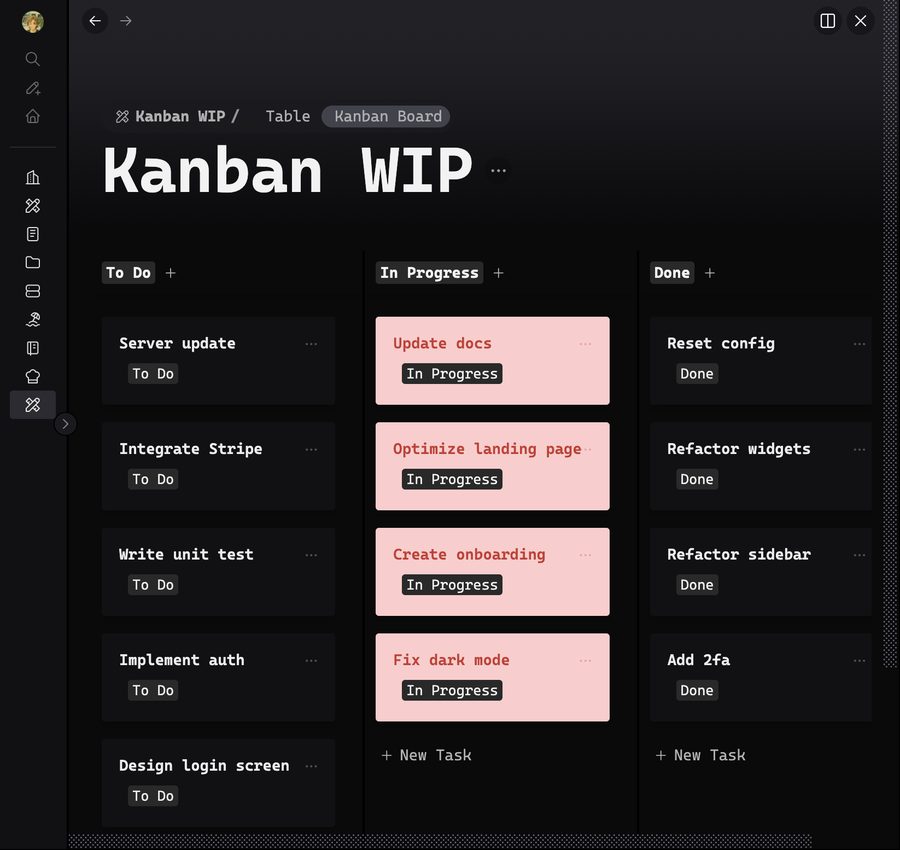
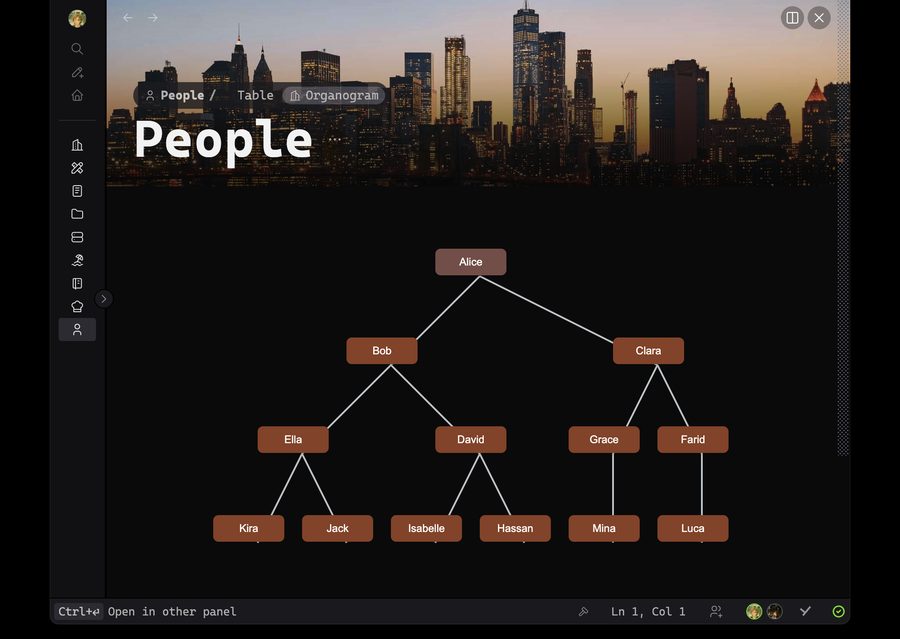
More in the SDK: WIP limits, an org chart, custom sorting, buttons on cards, a status bar clock and more.